ZATCA Fatoora Portal Guide: Login, Device Onboarding, OTP Generation & CSID Setup
A complete step-by-step guide to navigating the ZATCA Fatoora Portal, generating OTPs, onboarding EGS units, renewing CSID certificates, and managing API endpoints for Phase 2 e-invoicing in Saudi Arabia.
Introduction: Why the FATOORA Portal is Central to Phase 2 Compliance
As the Zakat, Tax and Customs Authority (ZATCA) continues rolling out Phase 2 (Integration Phase) waves across Saudi Arabia, every taxpayer must establish a direct cryptographic connection between their Electronic Generating Solution (EGS) and ZATCA’s servers.
The FATOORA Portal (fatoora.zatca.gov.sa) serves as the administrative bridge for this integration. Whether you are adding a new point-of-sale terminal, renewing an expiring digital certificate, or troubleshooting rejected invoices, the Fatoora Portal is where your compliance journey begins.
Based on the official ZATCA Fatoora Portal User Manual (Version 3), this guide provides a step-by-step walkthrough for business owners, accountants, and IT administrators.
1. Accessing and Logging into the Fatoora Portal
You can access the portal via two routes:
- Direct URL: fatoora.zatca.gov.sa
- ZATCA Main Website: Navigate to zatca.gov.sa, click on the E-Invoicing icon, and select Fatoora Portal.
🔑 Important Authentication Note: Log in using your ERAD (إيراد) Taxpayer Credentials:
- TIN (Tax Identification Number / الرقم المميز) or registered ZATCA email
- Password
Note: Fatoora Portal credentials are completely separate from the ZATCA Developer Portal credentials.
Switching Between Production and Simulation
- FATOORA Portal (Production): The default environment for legally binding live invoice signing and reporting.
- FATOORA Simulation Portal: A dedicated testing sandbox for end-to-end verification. You can switch to Simulation at any time by clicking “FATOORA Portal Simulation” in the top-right corner of the dashboard.
2. Step-by-Step: Onboarding a New Solution Unit / Device (OTP Generation)
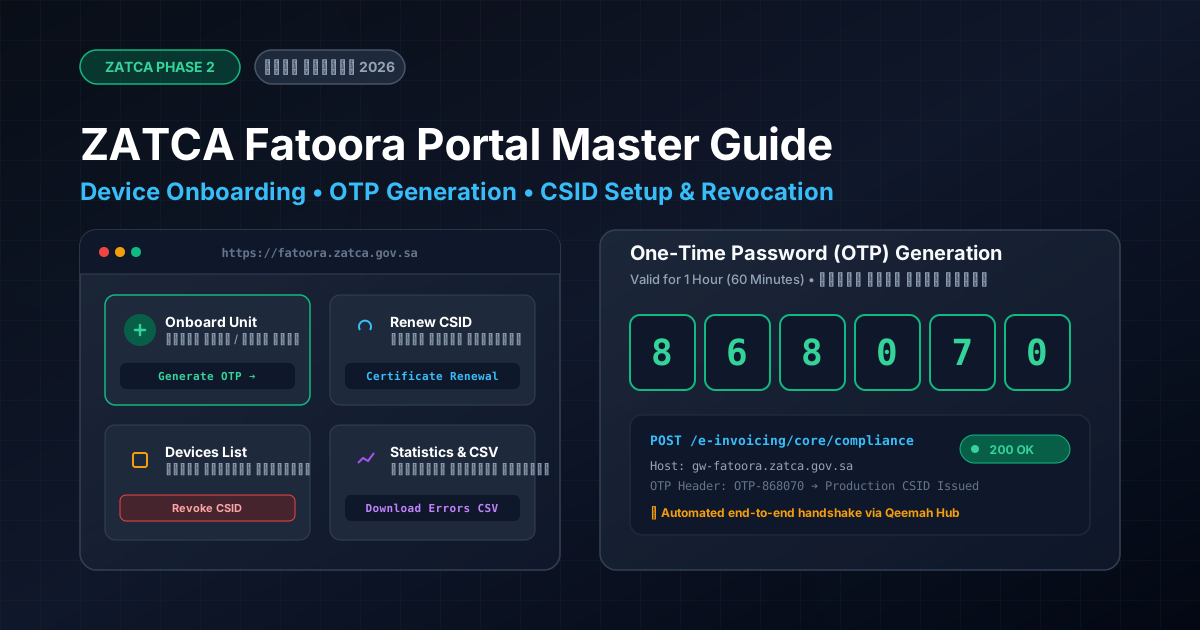
To allow your accounting software (such as Qeemah Cloud Accounting) to generate valid digital signatures, you must issue a Cryptographic Stamp Identifier (CSID) using a 6-digit One-Time Password (OTP).
Procedure:
- From the portal dashboard, click “Onboard new solution unit/device” (
تهيئة وحدة/جهاز جديد). - Enter the number of OTP codes you wish to generate (you can generate between 1 and 100 OTPs per batch depending on how many cash registers or branches you are onboarding).
- Complete the reCAPTCHA verification and click “Generate OTP Code”.
- The portal displays a table with the generated 6-digit codes. You can copy them individually or click “Export to File”.
┌──────────────┬──────────────────┬──────────────┐
│ Device Unit  │ OTP Code         │ Action       │
├──────────────┼──────────────────┼──────────────┤
│ Device 1     │ 8 6 8 0 7 0      │ [Copy Code]  │
│ Device 2     │ 5 6 7 2 7 0      │ [Copy Code]  │
│ Device 3     │ 3 1 2 5 4 0      │ [Copy Code]  │
└──────────────┴──────────────────┴──────────────┘
⏳ Expiry Window: Each OTP is valid for exactly 1 hour (60 minutes). You must enter this code into your accounting software before expiry to complete the cryptographic handshake.
3. Renewing an Existing CSID Certificate
Cryptographic Stamp Identifiers have an expiration period to maintain cryptographic security. To prevent disruption to your billing:
- On the Fatoora Portal home page, click “Renewing Existing Cryptographic Stamp Identifier (CSID)”.
- Select the quantity of renewal OTPs needed.
- Generate the 1-hour renewal OTP code.
- Input the code into your accounting software’s ZATCA settings to renew your production certificate seamlessly.
4. Managing and Revoking Connected Devices
When decommissioning old hardware, replacing POS units, or closing a branch:
- Click “View List of Solutions and Devices” (
قائمة الوحدات/الأجهزة التقنية المرتبطة). - Use the search and filter tools (search by Serial Number, Status, or Onboarding Date).
- Select the target device and click “Revoke” (
إلغاء). - Confirm the prompt: “This action cannot be undone and the CSID for the selected solution will be permanently revoked.”
⚠️ Critical Rule: Revocation is permanent and irreversible. If a device is revoked by mistake, it cannot be reactivated with its old CSID; you must onboard it from scratch as a brand-new unit using a fresh OTP.
5. Monitoring Statistics & Downloading Error Reports (CSV)
The portal provides detailed health monitoring for your tax compliance:
- Click “E-invoicing statistics” (
إحصائيات عن الفواتير الإلكترونية). - Review the 12-month summary divided into:
- Reported Documents (B2C Simplified Invoices)
- Cleared Documents (B2B Standard Tax Invoices)
- Status breakdown:
- 🟢 Accepted: 100% compliant invoices.
- 🟡 Accepted with Warnings: Invoices cleared or reported, but containing non-fatal Schematron warnings.
- 🔴 Rejected: Non-compliant invoices rejected by ZATCA validators.
- Download Detailed CSV: Click “Request Detailed Report (CSV)” to inspect exact error codes, invoice UUIDs, and validation rule failures.
6. Developer Reference: API Endpoints & CSR Configuration
For technical teams connecting custom ERP systems:
Production Gateway:
- Base URL:
https://gw-fatoora.zatca.gov.sa/e-invoicing/core/ - Pre-compliance CSID:
/compliance - Compliance Invoices Check:
/compliance/invoices - Production CSID Issuance / Renewal:
/production/csids - Single Invoice Reporting (B2C):
/invoices/reporting/single - Single Invoice Clearance (B2B):
/invoices/clearance/single
Simulation Gateway:
- Base URL:
https://gw-fatoora.zatca.gov.sa/e-invoicing/simulation/ - Pre-compliance CSID:
/compliance - Production CSID (Test):
/production/csids
OpenSSL Certificate Template Configuration:
# For Live Production FATOORA Portal:
1.3.6.1.4.1.311.20.2 = ASN1:PRINTABLESTRING:ZATCA-Code-Signing

# For Testing Simulation Portal:
1.3.6.1.4.1.311.20.2 = ASN1:PRINTABLESTRING:PREZATCACode-Signing
Simplify ZATCA Phase 2 with Qeemah
With Qeemah Cloud Accounting & ERP, you never have to manually run OpenSSL commands or write API connectors:
- Generate your OTP in the Fatoora Portal.
- Paste the 6-digit OTP into Qeemah Settings → ZATCA Hub.
- Qeemah automatically generates the CSR, passes compliance validation, stores your Production CSID, and signs every invoice with instant cryptographic QR codes in real time!
👉 Start your 14-Day Free Trial with Qeemah and onboard to ZATCA in minutes